










|
HP LaserJet 1200N Transfer Roller Replacement
Originally written for: HP LaserJet 1200n

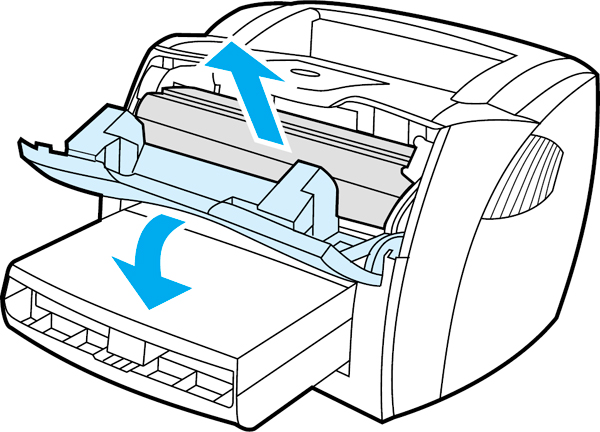
Need to replace the transfer roller on your HP LaserJet 1200 series printer? These steps will explain how. To replace the transfer roller (HP [RG9-1483-000]) on your LaserJet 1200: 1) Open the toner cartridge door and remove the toner cartridge.
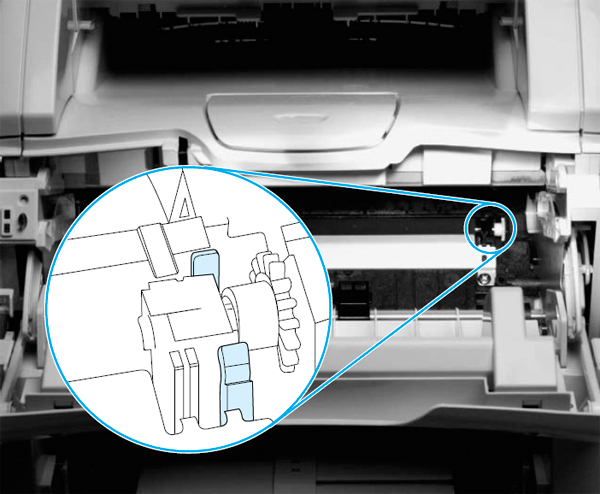
2) Use needle nose pliers to gently squeeze the two small tabs on the transfer roller. 3) Lift the transfer roller up, slide it to the right, and lift it out of the printer.
Note: Do not misplace the small grounding spring that is underneath the right side of the transfer roller. Caution: Do not touch the black sponge portion of the transfer roller.
|



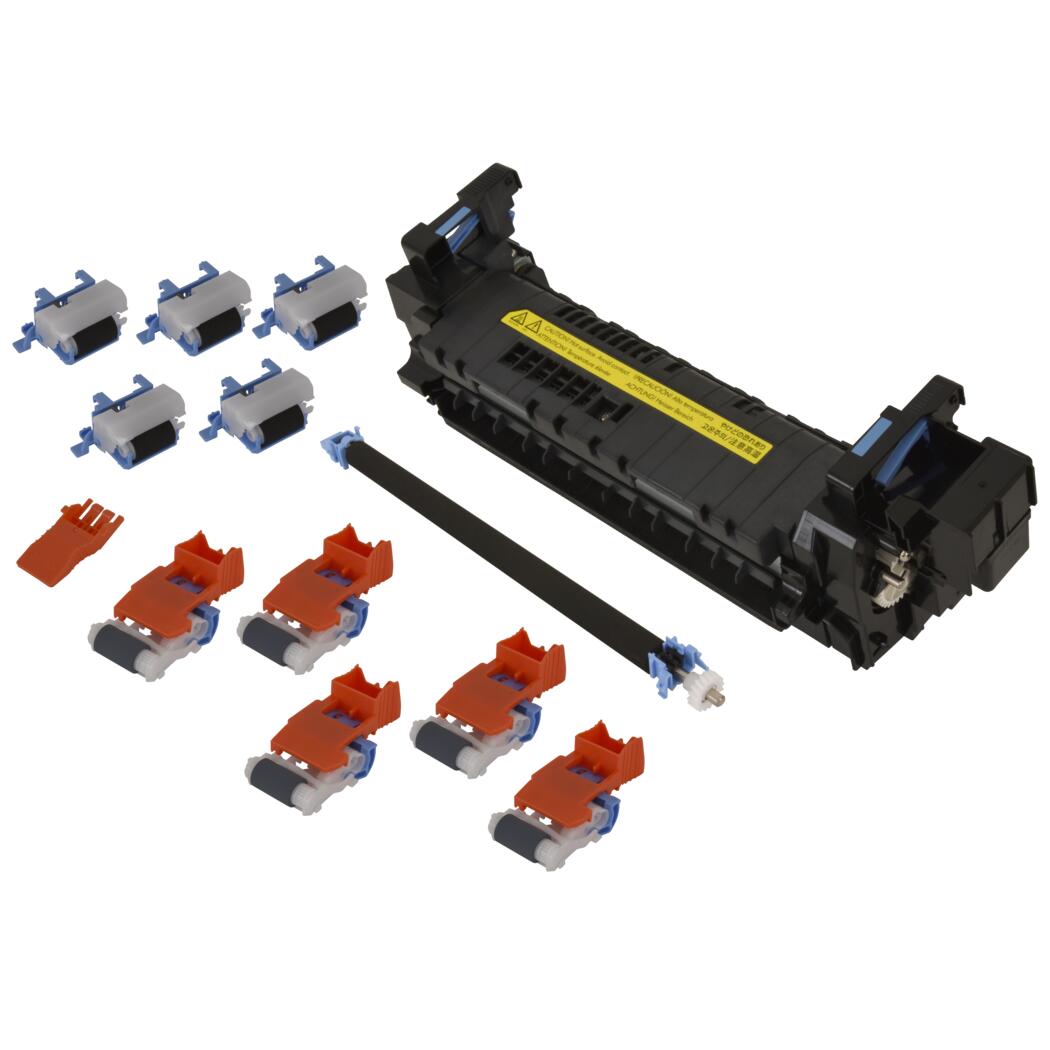 HP Fuser Maintenance Kit - Refurbished - 120V

©2003-2026 Precision Roller. • 2102 West Quail Avenue, Suite 1 • Phoenix, AZ 85027 • (800) 323-9523 / (623) 581-3330 • M-F 7:30am - 5:00pm MST (noDST)
Individual brands are copyrighted by their respective owners. Precision Roller is in no way affiliated, sponsored or endorsed by these copyright owners or their affiliates or dealers.
This website uses a secure server to encrypt all sensitive information.
Questions? Concerns? Send us a note at webmaster@precisionroller.com
This website uses a secure server to encrypt all sensitive information.
Questions? Concerns? Send us a note at webmaster@precisionroller.com