Originally written for: Canon DR-2050C imageFORMULA Scanner
Also applies to: Canon DR-2080C imageFORMULA Scanner
These instructions explain installing the feed and retard rollers on a Canon DR-2050C and similar models.
Installing the rebuild kit for a Canon imageFORMULA DR-2050/DR-2080C is a pretty easy project. The kit includes both the feed roller and retard roller. Instructions to replace both are listed below.
Here’s what you need to rebuild your Canon imageFORMULA DR2050C scanner feed assembly:
- (1) Feed Roller
- (1) Retard Roller
Replacing the Retard Roller
-
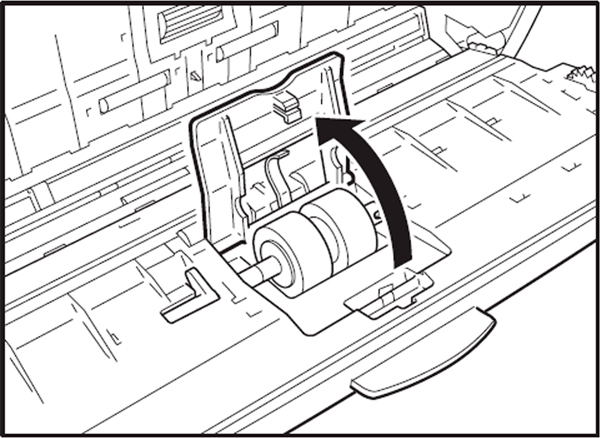
Open the roller cover inside the front unit by lifting it at the edge.
-
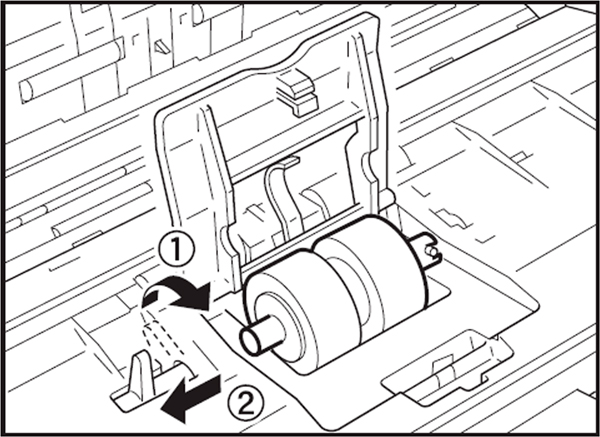
Raise the roller lock lever (1), and slide it in the direction of the arrow (2).
-
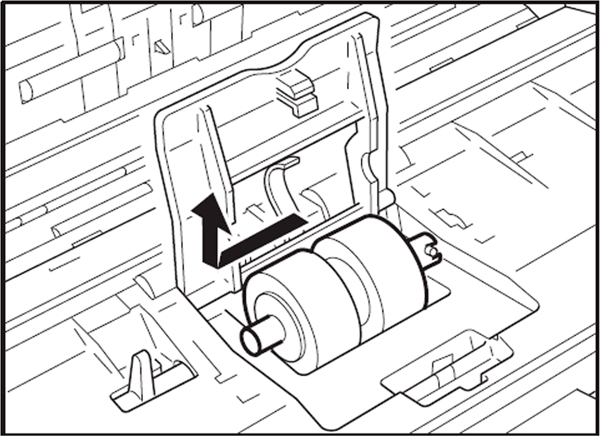
Remove the retard roller from its spindle by sliding it to the left.
-
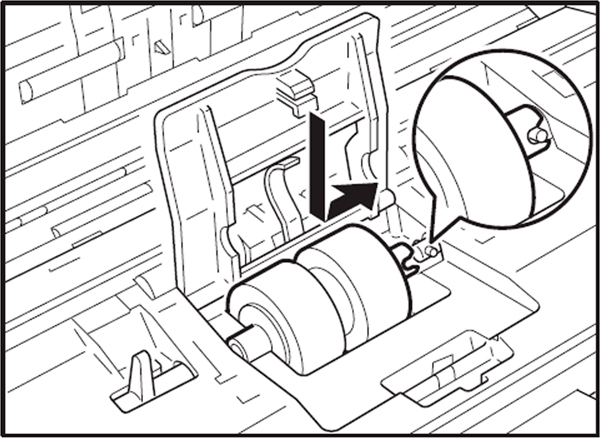
Insert the new retard roller into the slot under the roller cover, aligning the notch in the roller shaft with the spindle on the front unit, then reverse the removal procedure to finish installing.
Replacing the Feed Roller
-
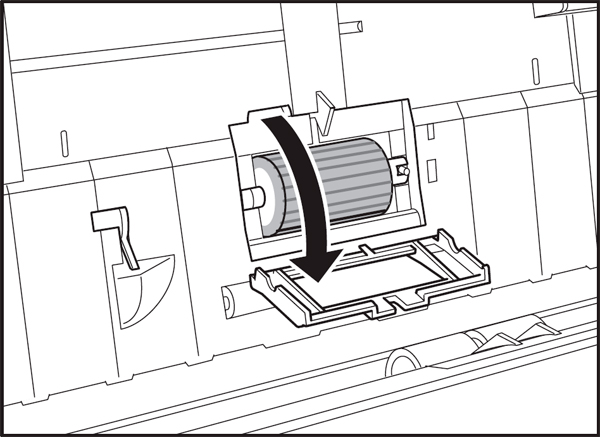
Open the roller cover inside the scanner. To open the cover, set your finger in the groove and lift.
-
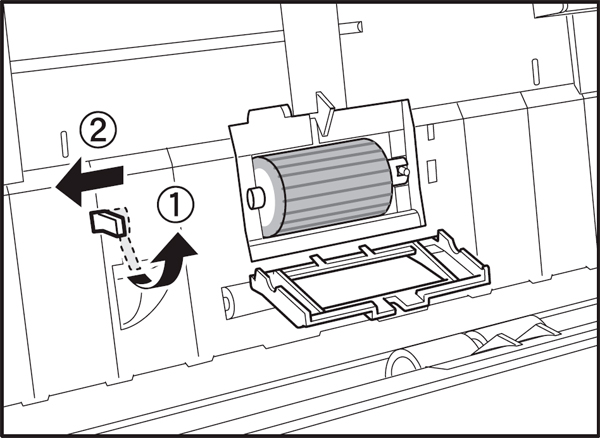
Raise the roller lock lever (1), and slide in the direction of the arrow (2).
-
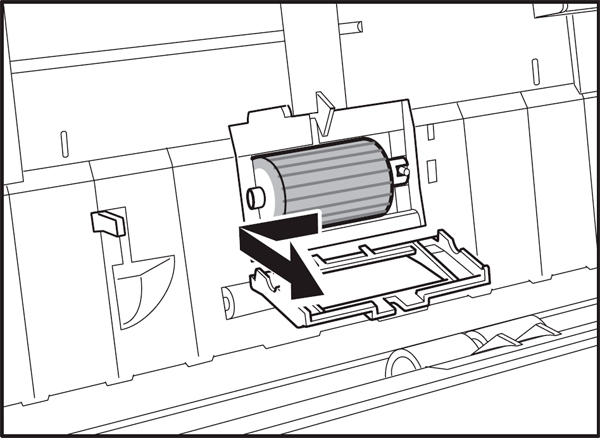
Remove the feed roller from its spindle by sliding it to the left.
-
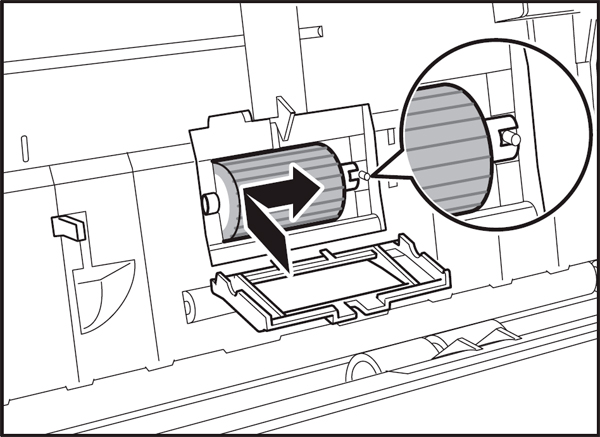
Insert the new feed roller into the slot behind the roller cover on the side of the scanner, then reverse the removal procedure to finish installing.
- Publisher: Precision Roller










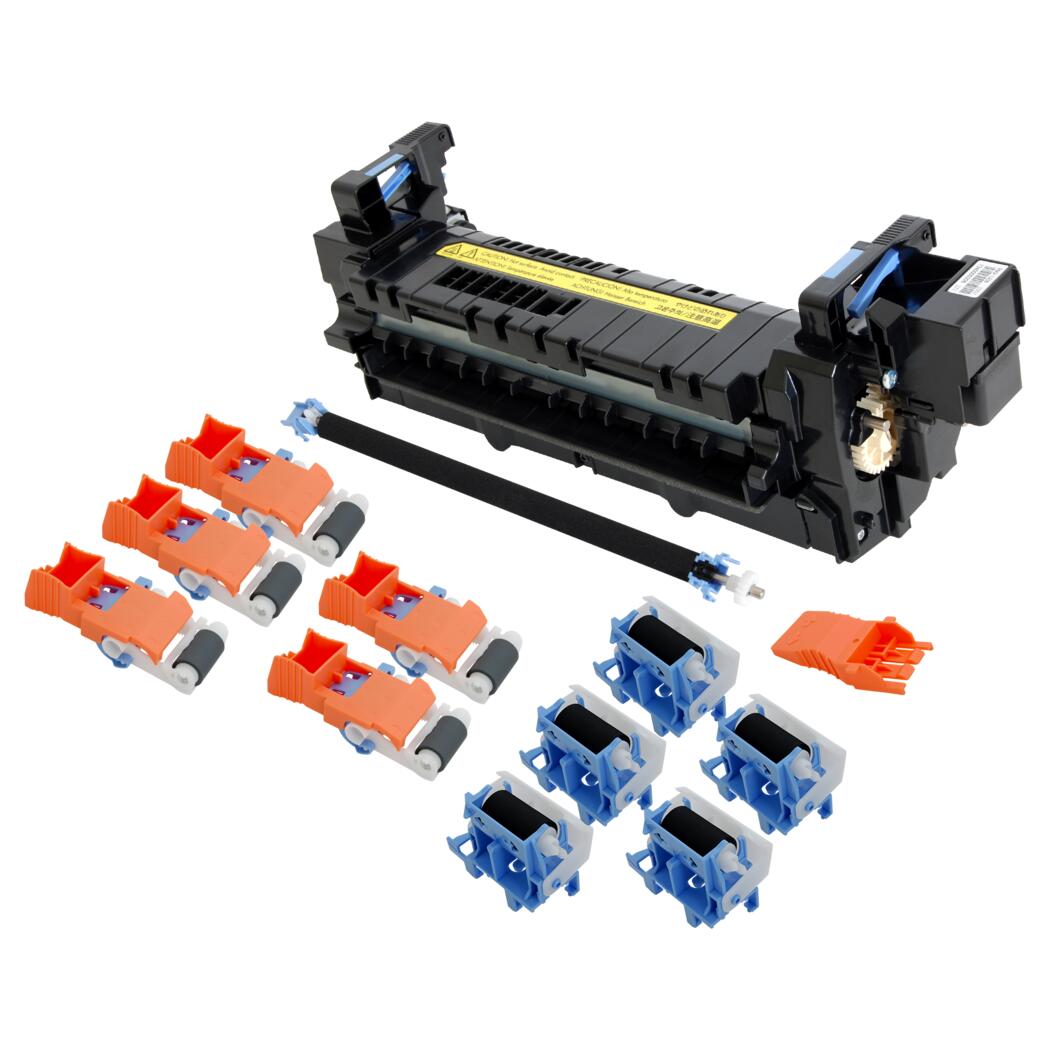 HP Fuser Maintenance Kit - 120V